Blog The Field House
· 4 min read
Welcome to the Field House
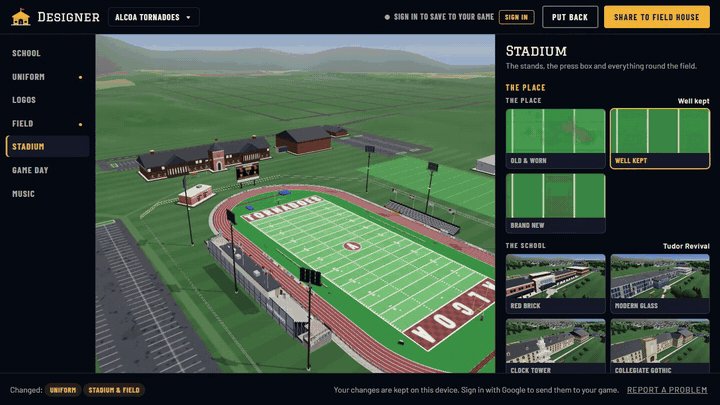
Somebody out there remembers exactly how your school looked on a Friday night: the stripe down the helmet, the checkerboard end zones, the brick school behind the visitors' stands, the way the team came charging out of the smoke. The Field House is where they put it, so everyone else can play in it.
It's a gallery of looks for real Tennessee schools, made by the people who love them. Find your school, pick the parts you want and copy it into your game. Or build your own in the Designer, right in your browser, and hang it for the rest of the state. It's open now at friday-night-heroes.com/fieldhouse.
The Field House is part of Gameday, the home for everything around the game: the Field House and the Press Box, side by side under the gold Gameday button at the top of every page. Here's what a look is, how you get one, how you hang yours, and the rules that keep it fair.
What's in a look
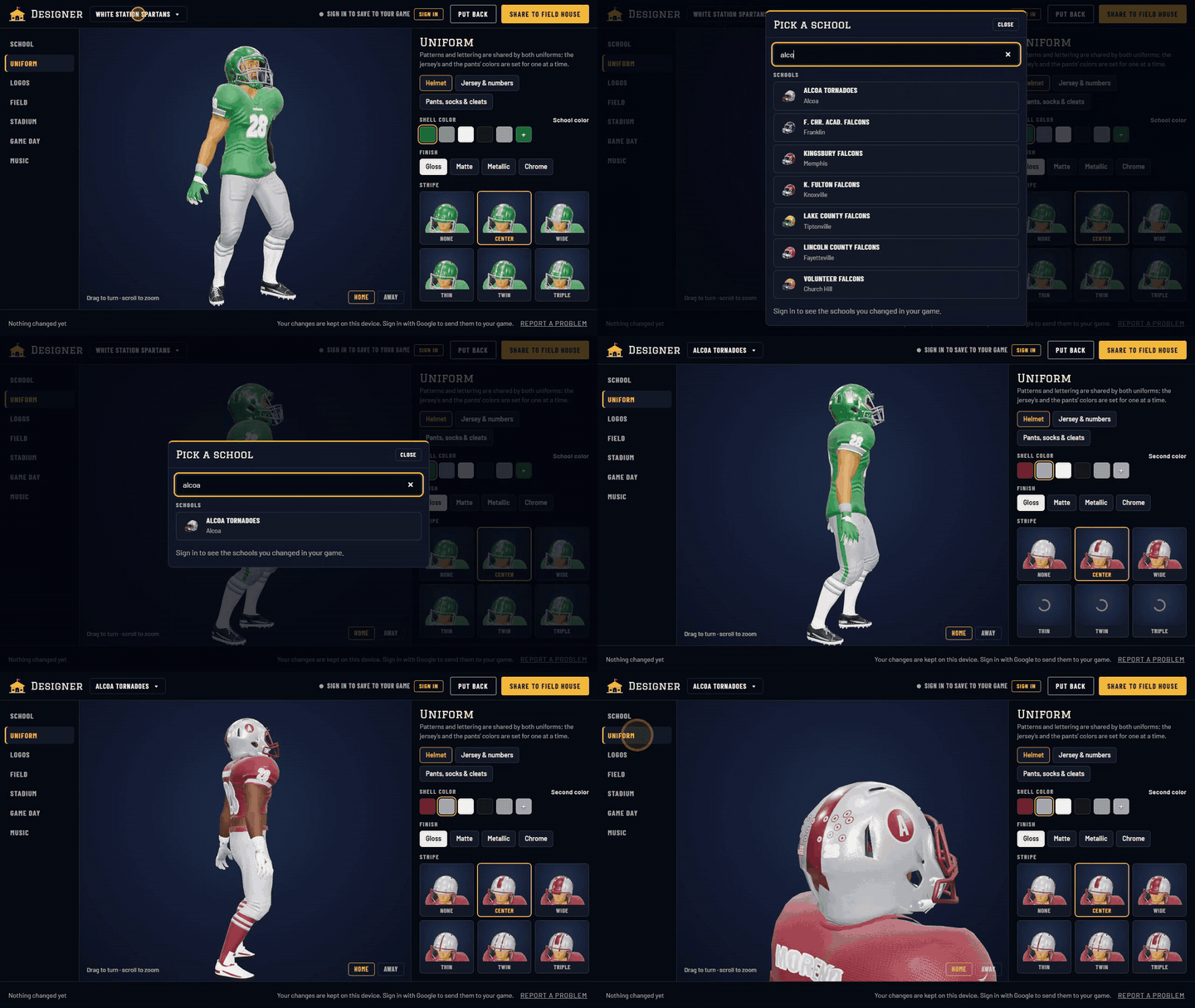
A look is everything a school wears, and everything around it on game night. It comes in parts, and you choose which ones you take:
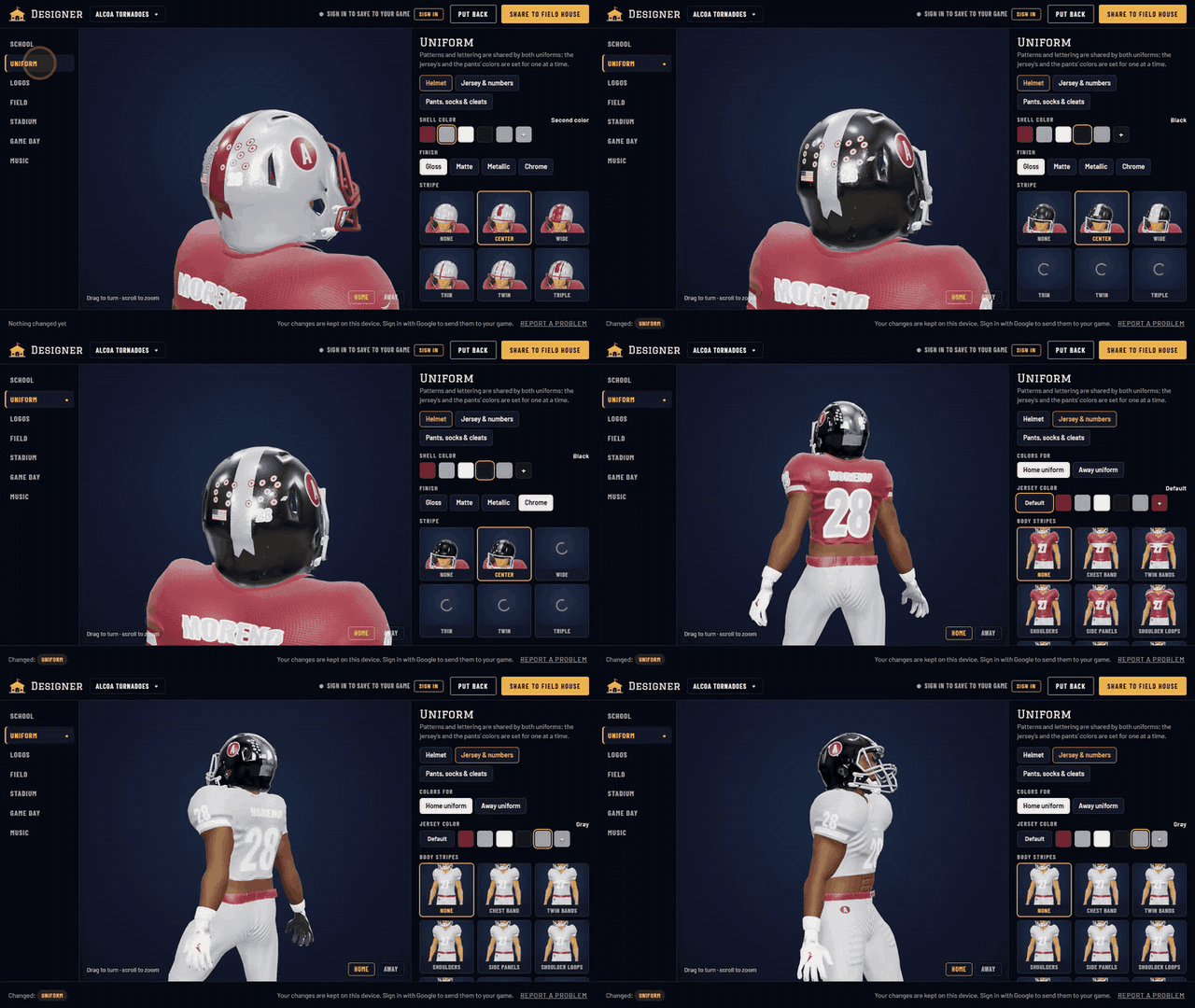
- Uniform. The helmet's shell, finish and stripe, the jerseys and numbers, the pants, socks and cleats, home and away.
- Logos. The marks on the helmet, the jersey and the field.
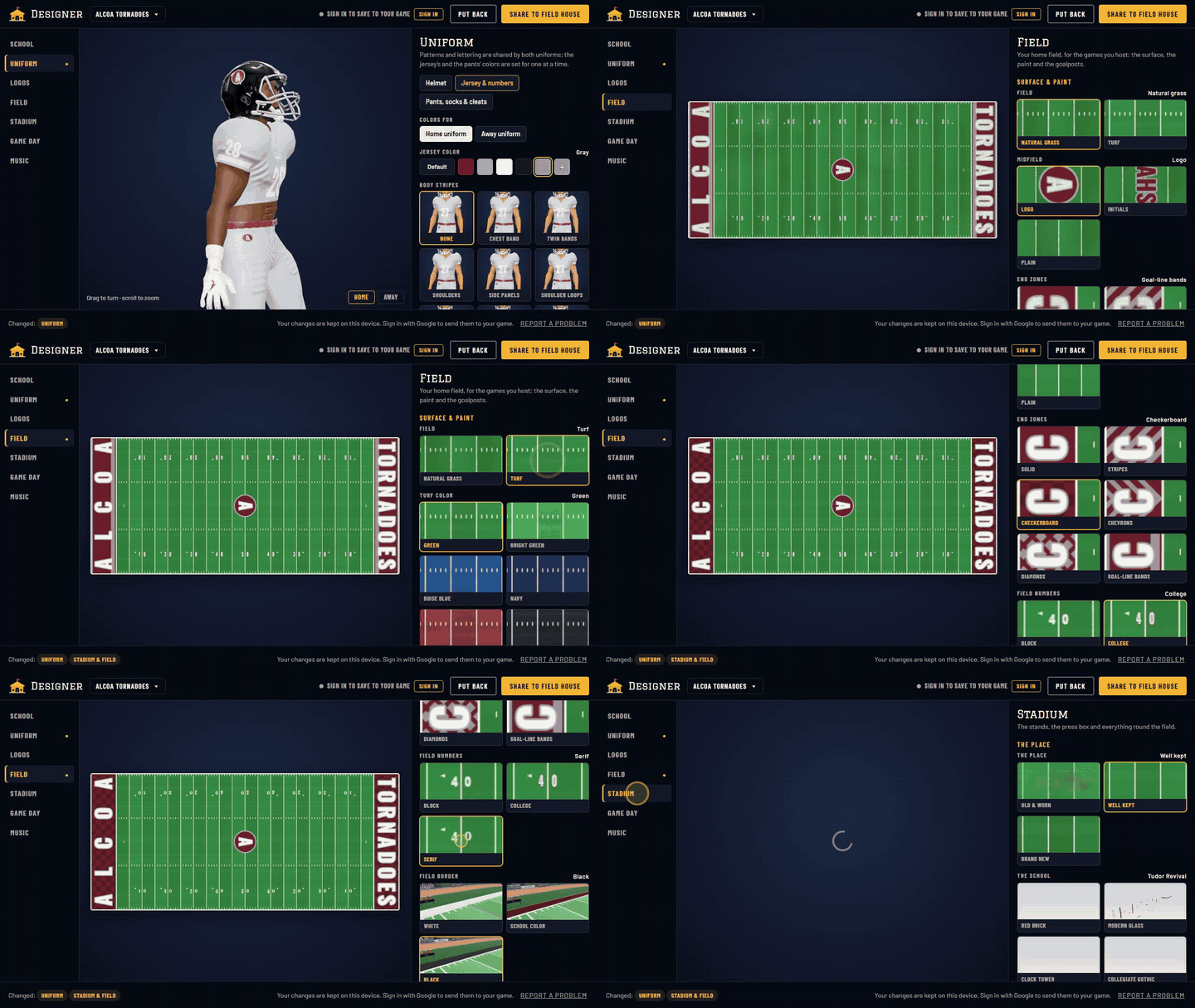
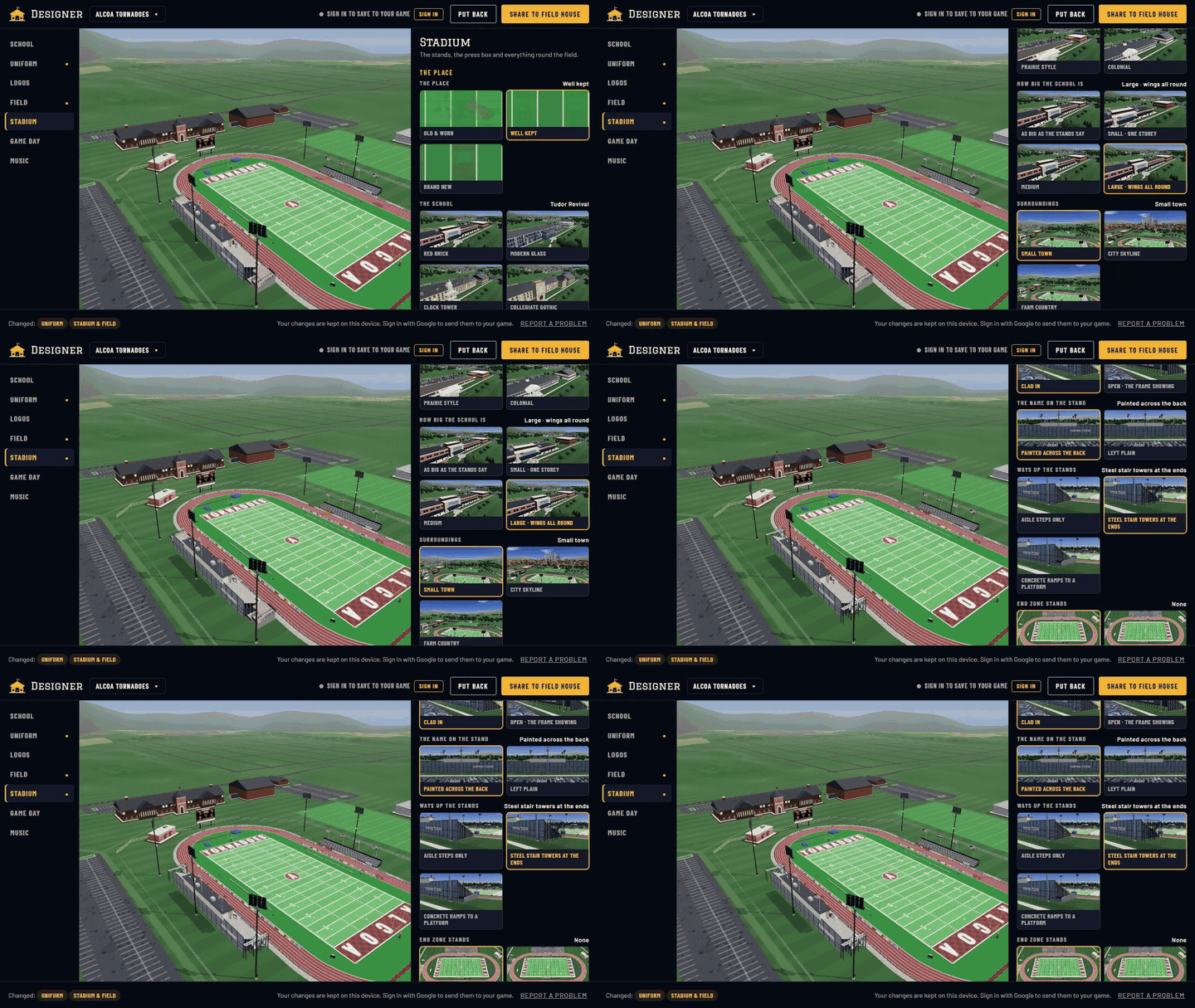
- Stadium. The field and its paint, the end zones, the stands, the press box, the lights, the scoreboard and everything round them.
- Campus. The school building and where everything sits on the land around the field.
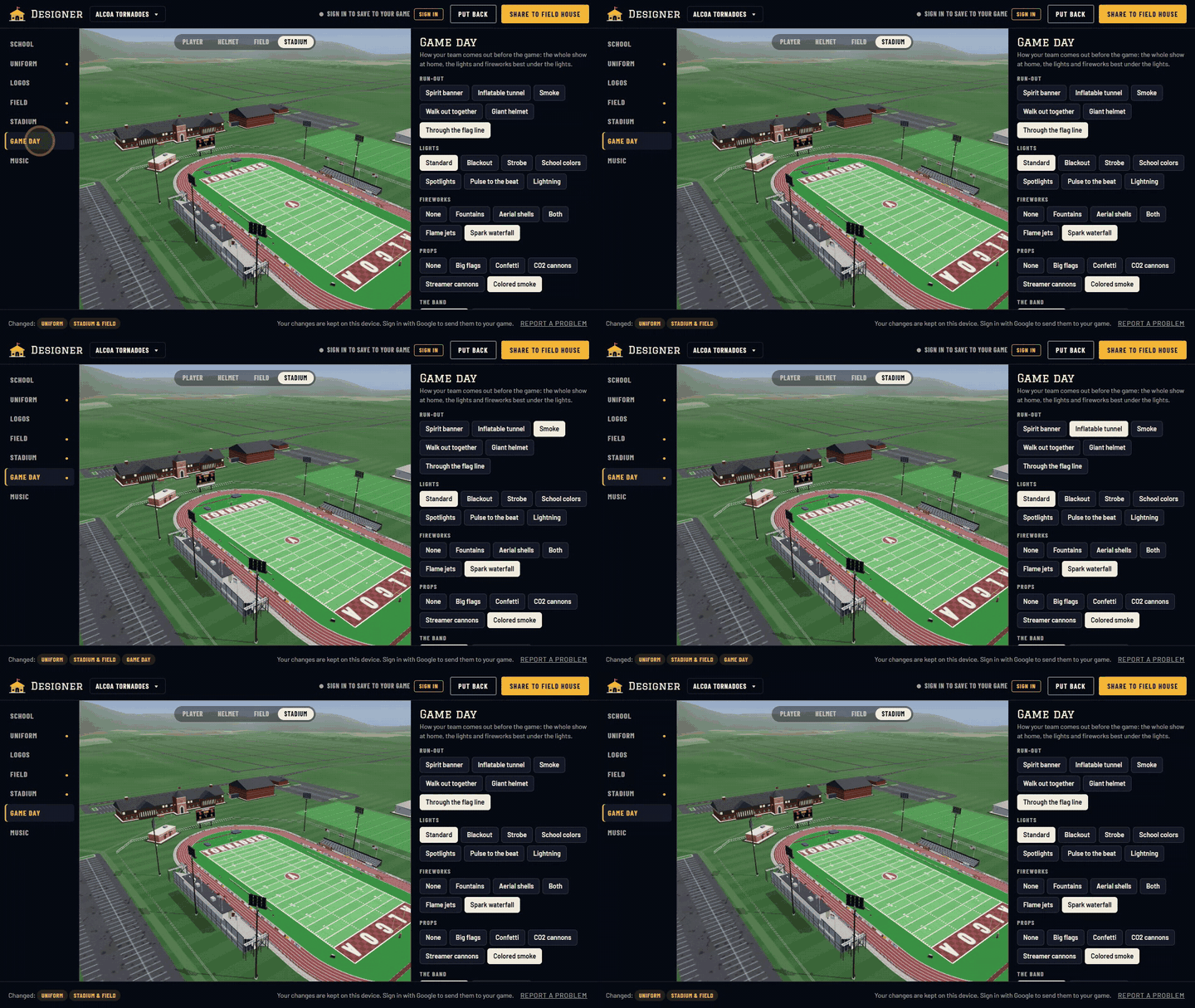
- Game day. The entrance: the run-out, the lights, the fireworks, the props and the band.
- Music. The intro song and the fight songs, as video links. It's off unless you tick it.
What never travels: ratings, records, history and careers. A look changes how a school looks, never how it plays or what it's won.
Copy one into your game
Open the Field House and search for your school, sort by Most copied or New, or narrow it to the looks that carry a uniform, a stadium or a game day. A look's page lists its parts with a box beside each one. Untick anything you'd rather keep as it is, then press Copy to my game. The first time, you sign in with Google: the same account your game saves to.
If the game is sitting on its title screen, the look lands right away; if not, it's there the next time you open it. A note pops up, From the Field House, with an Undo button. One tap and your school is back the way it was.
Build your own in the Designer
The Designer is the game's own team builder on a web page, with the same choices. Pick any school and work through the same five stops as the game: School, Uniform, Field, Stadium and Game day. The preview shows a player, the helmet, the whole field or the stadium in 3D, and you can fly around the stadium to see it from the stands.
There's no save button. Signed in, every change goes to your game a couple of seconds after you make it; signed out, it's kept on this device until you sign in. Put back takes the school back to how it was when you opened it. Rather build on the couch? Edit look on any school in the game does the same job.
Hang it in the Field House
When your school looks right, hang it. Press Share to Field House in the Designer, share it from My Locker, or press Share on the school's card in the game. Give it a name ("Black Out," "Throwback Stripes") and pick the parts it carries. The game's own picture of your helmet goes up with it.
You hang looks under a Field House name you make up, never your own. Sharing is for players 13 and older: we ask your birth year once, and only you can see it. You can hang up to ten looks, update one whenever your school changes, and take it down from My Locker, which also shows how many players have copied each one.
The rules
- Real schools only. Every look belongs to one of the state's real schools.
- A look fits its own school. A look made for one school only ever goes onto that school. You can't put it on another.
- Your save is safe. The website never writes your save. It leaves the change for your game, and only the game makes it. Your seasons, records and careers stay exactly as they were, and Undo is one tap away.
- Keep it clean. Every look has a Report button, and a look that enough players report comes down.
Part of Gameday
The Field House sits beside the Press Box under Gameday, the website's home for everything around the game. The Field House is where your school's look lives; the Press Box is where you call the real games every Friday, follow every school's power rating and run the playoff brackets. One Google account works in both, and in the game itself.
Come on in
The Field House is open now: browse it, and build in the Designer with any Google account. Playing in a look takes the game, and testing is open now, through November 21. Join the public test and your school's look will be waiting for you.